Watch Europa League 2026-27 on IPTV: TNT Sports Setup Guide UK
30 August 2026 · 9 min read
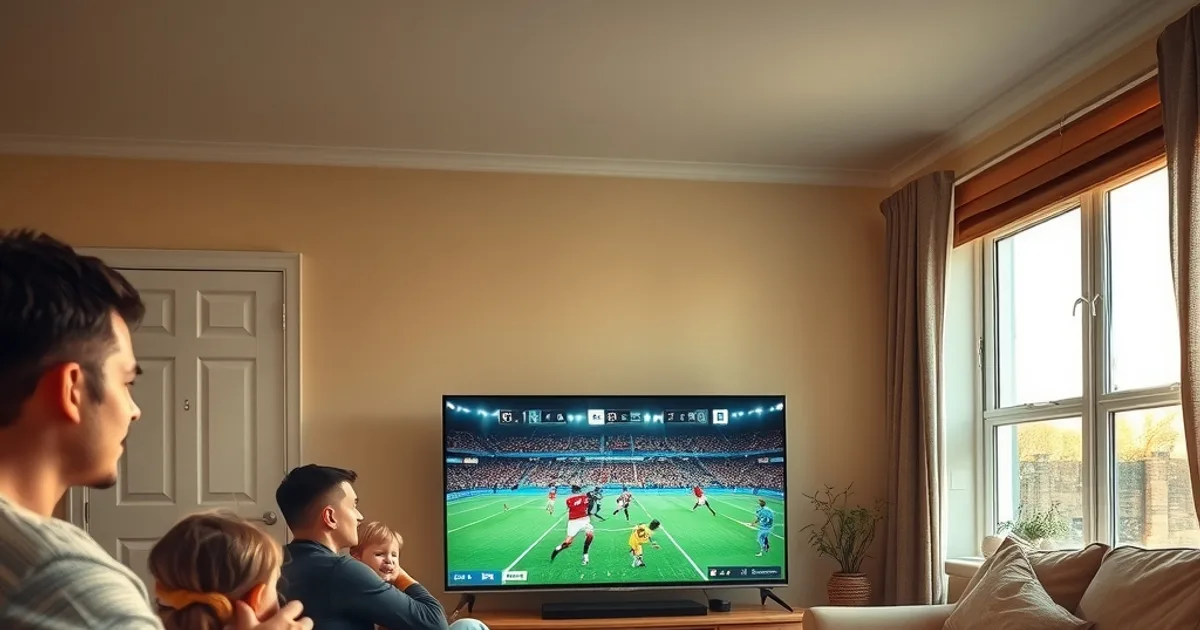
Fixtures are already live — the 2026-27 Europa League kicked off its league phase in mid-August, and every match sits behind one broadcaster in the UK: TNT Sports, streamed through HBO Max. If you've searched "where to watch Europa League UK" this month, you're not alone — search interest has spiked hard since matchday one, partly because TNT's platform itself changed shape only months before kickoff.
In March 2026, TNT Sports retired its old Discovery+ streaming app and moved everything to HBO Max. For anyone who had Europa League viewing on autopilot — same app, same login, same remote shortcut — that switch created real friction: new sign-in flows, new device apps to install, and a fresh round of "why won't this load" threads on match nights.
This guide is the one we couldn't find elsewhere: a device-by-device setup walkthrough for the new TNT/HBO Max arrangement, honest bitrate and quality expectations, a real cost comparison against Sky Sports, and fixes for the buffering and geo-blocking issues that are specific to this platform — not generic troubleshooting copied from a Champions League article.
Why Europa League moved to TNT Sports (and why that matters for your wallet)
TNT Sports holds exclusive UK rights to the Europa League for a three-year cycle running from 2024-25 through 2026-27 — every round, from the league phase through the final, sits under one broadcaster rather than being split across two or three platforms the way some competitions are. That's actually good news for planning your viewing: there's no second subscription to chase for a knockout leg or a final that's been carved off to a different rights holder.
The catch is that TNT bundles its football behind a broadcaster subscription, and since March 2026 the only way to stream it is through HBO Max, replacing the old Discovery+ app entirely. That migration is the direct cause of the setup confusion driving so many searches right now — people who had a working streaming setup suddenly needed to reinstall, re-authenticate, and in some cases figure out which devices even support the new app yet.
It's also worth knowing this arrangement has an expiry date: from 2027-28, the Europa League rights move again, this time to Sky Sports, while the Champions League shifts to Paramount. That means 2026-27 is a one-season window with this exact TNT/HBO Max setup — worth getting right now rather than fighting it every matchday.
For UK viewers comparing options, the appeal of an IPTV subscription that carries TNT's sports feeds is straightforward: you get the same live coverage without committing to a long broadcaster contract, and — as we break down later in this guide — at a fraction of what a full Sky Sports package costs across a season.
Not sure your current setup will handle Europa League matchdays without dropping out?
What you need: internet speed, subscription type, and compatible devices
Before touching any app, two things determine whether match night goes smoothly: your connection and your device. For consistent HD Europa League streaming without drop-outs, you want a stable, low-jitter connection rather than just a high headline speed — our full breakdown of realistic UK requirements is in /blog/iptv-internet-speed-requirements-uk-2026, and it applies directly here since live sport is the most bandwidth-sensitive content you'll stream all week.
On the subscription side, check that whatever IPTV service you're using actually carries the TNT Sports channels showing Europa League fixtures, includes an EPG (electronic programme guide) so you can see kickoff times without hunting, and supports the number of devices your household actually uses. Not every plan is built the same, and a plan that's fine for on-demand box sets can fall short on live sports reliability.
Device-wise, the realistic shortlist for UK households is: Amazon Fire TV Stick (by far the most common), Roku, a Smart TV's built-in app store (Samsung/LG mainly), an Android TV box, or a phone/tablet for second-screen or on-the-go viewing. Each has slightly different steps for getting TNT's Europa League coverage running post-HBO Max migration, which is exactly what the next section walks through.
Setting up TNT Sports on Firestick, Roku, Smart TV, and mobile (2026 HBO Max steps)
Firestick remains the most-used device for IPTV viewing in the UK, and it's also had the most reported friction since the HBO Max switch — mainly because some users still had the old Discovery+ shortcut pinned to their home screen. The fix is a clean reinstall: remove the old app entirely, search the Amazon App Store for HBO Max directly (not a cached tile), install fresh, and sign in again rather than trying to carry over old credentials. Our dedicated walkthrough at /blog/iptv-uk-firestick-setup-guide covers the full first-time setup if you're starting from scratch, including how IPTV apps sit alongside HBO Max on the same device.
Roku users should check the Channel Store for HBO Max specifically, since some older Roku models received the update later than Fire TV devices — if the app looks present but won't launch, a full device restart (not just closing the app) usually resolves it. For a Roku-specific setup covering live football generally, see /blog/watch-premier-league-on-roku-iptv-setup, which walks through the same channel-store and authentication flow that applies to TNT's app.
Smart TVs (Samsung Tizen and LG webOS in particular) get HBO Max as a native app, which is generally the smoothest path since there's no sideloading involved — just update the app store, install, and sign in. The tradeoff is that native smart TV apps sometimes lag behind Fire TV and Roku on feature updates, so if a specific Europa League fixture isn't showing up in your guide, check the app version before assuming something's broken.
Mobile (iOS/Android) is the most reliable fallback if your primary screen has an issue mid-match — install the HBO Max app from your device's store, sign in, and you can pick up the same stream on a phone or tablet. Keep this as your tested backup before matchday, not something you're setting up for the first time at kickoff.
Streaming quality: bitrate, 4K support, and what to expect on match days
Live sport is unforgiving on stream quality because motion-heavy footage (a fast break, a crowded penalty box) needs a higher, steadier bitrate than a static talking-head broadcast to look clean. As a general rule, standard HD football streaming needs a meaningfully higher sustained bitrate than on-demand HD content of the same resolution — buffering during a goal-mouth scramble is almost always a bitrate or connection-stability issue, not an app fault.
4K availability for Europa League coverage varies by fixture and platform rather than being guaranteed across every match, so don't assume every game will be offered in 4K — treat it as a bonus on marquee fixtures rather than the baseline. If 4K matters to you specifically, confirm before kickoff rather than discovering mid-match that a game is HD-only.
Match days themselves put unusual strain on networks — everyone in the country trying to stream the same kickoff at once means ISP-level congestion is common between roughly 15 minutes before kickoff and full time, even on connections that stream perfectly fine on a normal weeknight. A wired Ethernet connection to your streaming device, rather than Wi-Fi, removes one variable and is the single most effective fix most people skip.
Cost comparison: TNT Sports + IPTV vs Sky Sports packages (yearly breakdown)
The core appeal driving searches for IPTV alternatives right now is straightforward: Sky Sports packages typically require a longer contract commitment and bundle in channels you may not watch, while an IPTV subscription carrying TNT's sports feeds is generally structured as a simpler, shorter-commitment plan. Households following Europa League for one season shouldn't need to sign up for a broadcaster contract built around a much longer relationship.
We've laid out the full yearly numbers, contract-length tradeoffs, and what you actually get with each option in /blog/iptv-vs-sky-sports-cable-cost-comparison-2026 — worth reading in full before you commit either way, since the right choice depends on whether you're also watching Premier League, other sports, or just Europa League specifically.
The general shape of the comparison holds for most UK households: an IPTV route built around this season's Europa League coverage lands at a fraction of a full Sky Sports package's yearly cost, mainly because you're not paying for a multi-year contract, a satellite box, or channels outside your interest. If your viewing is genuinely just European football for one season, that gap is usually the deciding factor.
Fixing buffering and geo-blocking issues specific to TNT/HBO Max
Since the HBO Max migration, the most common complaint isn't stream quality — it's the app failing to recognise a valid login or throwing a region error despite being watched from inside the UK. This usually traces back to app cache from the old Discovery+ install, or a device's system region/language setting drifting from UK defaults during a previous update. Clearing app data and confirming your device's region is set to United Kingdom fixes this more often than any other single step.
Router-level DNS can also cause geo-detection hiccups if you're using a third-party DNS provider rather than your ISP's default — switching back to default DNS temporarily is a quick diagnostic to rule this in or out before assuming it's an account issue.
For genuine buffering (not geo-blocking) during live matches, the usual suspects are Wi-Fi congestion from other devices on the same network during peak kickoff hours, and ISP-level throttling of streaming traffic during high-demand windows. Restarting your router before a big fixture, prioritising your streaming device via QoS settings if your router supports it, and closing other bandwidth-heavy apps on the same network all measurably help on the nights it matters most.
Skip the HBO Max reinstall headaches and get every Europa League fixture streaming reliably this season.
Watching multiple Europa League matches simultaneously (multi-stream tips)
League-phase matchdays often have several Europa League fixtures kicking off at the same time, and following more than one — say, on a main TV and a tablet second screen — is common practice for households with a genuine interest in the whole competition, not just one club. The main constraint isn't the app, it's your household's simultaneous-stream allowance and shared bandwidth.
Check your IPTV plan's concurrent-device limit before assuming you can run two matches at once on two screens — plans vary, and running more streams than your subscription allows is the most common reason a second screen suddenly drops mid-match. Our full breakdown of setting up simultaneous streaming for a household is at /blog/iptv-multi-device-family-setup-simultaneous-streams, covering both the subscription side and the router configuration that keeps both streams stable.
If you are running two streams on one home network, prioritise wired Ethernet for your primary screen and reserve Wi-Fi for the secondary device, since a wired connection is far less likely to be the one that drops when both are pulling live video at once.
Frequently asked questions
Do I need HBO Max specifically to watch Europa League in the UK, or can I use another app?
As of March 2026, HBO Max is TNT Sports' UK streaming platform, replacing the old Discovery+ app. TNT's linear channels are also available through standard TV platforms, but for app-based streaming on devices like Firestick, Roku, or mobile, HBO Max is the current route.
Why does the Europa League app keep saying I'm outside the UK when I'm not?
This is almost always a leftover app-cache or device-region setting issue following the Discovery+-to-HBO Max migration, not an actual geo-restriction. Clear the app's cached data, confirm your device's region is set to United Kingdom, and reinstall the app fresh rather than updating an old install.
Will every Europa League match be available in 4K?
No — 4K availability varies by fixture rather than being guaranteed across the whole competition. Treat 4K as a bonus on selected marquee matches and confirm before kickoff if picture quality at that resolution matters to you.
Is it cheaper to watch Europa League through IPTV than through Sky Sports?
Generally yes for a single-season commitment, mainly because Sky packages tend to require longer contracts and bundle channels beyond just European football, while IPTV plans are typically shorter-commitment and more narrowly focused. See our full breakdown at /blog/iptv-vs-sky-sports-cable-cost-comparison-2026 for the detailed yearly comparison.
How many Europa League streams can I run at once in my household?
That depends on your specific IPTV plan's concurrent-device allowance, not the HBO Max app itself. Check your plan's limit before setting up a two-screen matchday, and see /blog/iptv-multi-device-family-setup-simultaneous-streams for how to configure a stable multi-stream household setup.
Will TNT Sports still show the Europa League next season?
No — 2026-27 is the final season of TNT's current Europa League rights cycle. From 2027-28, Europa League and Conference League rights move to Sky Sports, while the Champions League shifts to Paramount, so this season's TNT/HBO Max setup is specific to this year.
Next, see the subscriptions or the FAQ.